YOUR ROADMAP
Complete Interdisciplinary Learning in Five Stages
Each stage has clear completion criteria.QUICK START
What Would You Like to Do?
Skip ahead directly to the task you need. Not sure which program to chooseExplore programs →
 Find courses offered this semesterSearch courses →
 Apply for a microprogram or programStart application →
 Ready to enroll in program coursesGo to enrollment →
 Check credits already earnedCheck progress →
 Completed the program and need a certificateLearn about certification →
EXPLORE
Explore Programs & Courses
Review the program requirements first, then find available courses for this semester.
Review Program Regulations
- Confirm the minimum required credits
- Identify required and elective courses
- Check eligibility and restrictions
Search This Semester's Courses
Select “Microprogram Courses” or “Program Courses.”
Search CoursesVerify the Course's Program
Check the notes to confirm whether the course counts toward your intended program.
View Course NotesAPPLY & CONSULT
Apply & Consult
Choose a program and advisor, complete the form, and be sure to submit it for review.
- 1Select the program you wish to apply for
- 2Select an advisor
- 3Enter notes
- 4Save the application
- 5Return to the application list
- 6Click “Submit for Review”
Clicking “Save” does not complete the application; you must click “Submit for Review.”
ENROLL
Enroll & Study
Enroll from the recommended list and continue checking the program regulations.
- 1View Recommended CoursesThe system lists courses that match your approved program.
- 2Select Add CourseSelect “Add (Micro) Credit Program Course.”
- 3Complete VerificationEnter the verification code and confirm the enrollment result.
TRACK
Track Progress
Review required, earned, and remaining credits to plan your next semester.
- 1Open the Progress InquiryInformation System
- 2Select a ProgramCredit Program Application
- 3Review Courses and Credit StatusFind your program and select “Details.”
COMPLETE
Complete & Get Certified
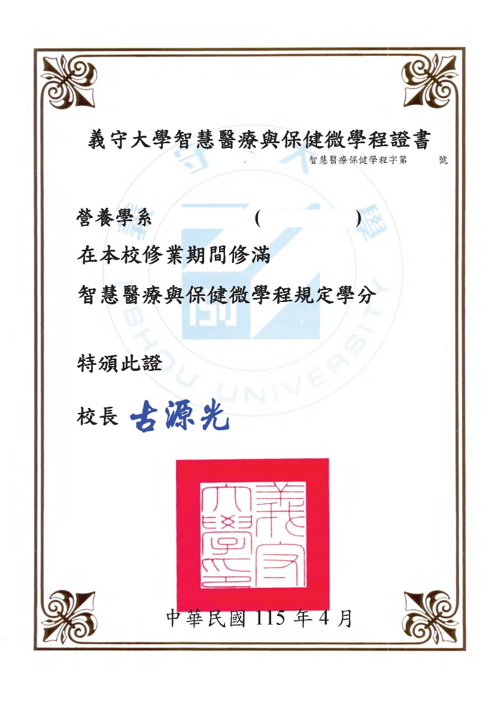
After meeting the requirements, submit your records to the program office for review and certification.
- 1Confirm Completion RequirementsVerify total credits and required/elective course requirements.
- 2Apply for Completion or a CertificateDownload and complete the program review form, then submit it to the responsible office.
- 3Wait for Administrative Review
- 4Collect or Download the Certificate
FAQ
Common Questions
Is my application complete after I click Save?+
Not yet. Return to the application list and click “Submit for Review.”
Do I need to take every recommended course?+
Not necessarily. The program regulations determine the actual requirements.
Can I add multiple courses at once?+
According to the interface shown, only one course can be added at a time.

Let Your Major
Evolve with AI
X is your disciplinary core; AI amplifies what your major can do. Move from learning about AI to learning with AI throughout four years of professional study and real-world practice.
Not everyone needs to become an AI engineer.
What matters is knowing how AI works with your discipline.
Since 2020, I-Shou University has advanced X+AI interdisciplinary courses across engineering, healthcare, design, business and other fields. X+AI 2.0 connects professional learning, AI collaboration and responsible use through coherent course pathways.
What Can Your X Become with AI?
Move from isolated courses to a coherent professional pathway. Students stay grounded in their own discipline while progressively turning AI into professional capability.

AI and Smart Connected Applications Course Cluster
Smart Business Management and Decision-Making
Smart Biomedical Measurement
Built Progressively Across Four Years
From foundational literacy to interdisciplinary practice, each stage produces visible evidence of capability.
UNDERSTAND AI
Understand AI, data, generative AI and fundamental computational thinking.
USE AI
Develop skills in AI tools, prompt design, data analysis and problem decomposition.
MAJOR + AI
Apply AI to questions and challenges within your own discipline.
INTERDISCIPLINARY PRACTICE
Integrate capabilities through themed course pathways, micro-programs, capstones and industry projects.
BUILD YOUR PORTFOLIO
Create work, projects, competition entries, certificates and career-connected evidence of learning.
Use AI—and Use It Responsibly
Prioritize course rules, disclose AI use, verify content, protect data and retain human accountability—so generative AI is used reasonably, transparently and responsibly in teaching and learning.
Check what the instructor, syllabus, assignment and assessment rules permit.
State the tool, purpose, scope of use, and how you revised and verified the output.
Check facts, data, citations and code results; never assume an AI response is correct.
Do not enter personal data, medical records, unpublished research, exam items, student work or confidential partner information.
AI is an assistive tool; users remain responsible for quality, ethics, copyright and final work.
When Explicitly Permitted
Use for concept clarification, ideation, language practice, editing, debugging and learning feedback.
Disclose and Verify
For research searches, translation, data organization, generated content and code, follow course rules, disclose use and verify results.
When It Undermines Learning or Ethics
Do not use AI for ghostwriting, plagiarism, cheating, fabricated data or citations, evading course rules, or entering sensitive information.
Appropriate Uses for Students
- Clarify concepts: Ask about definitions, principles, examples and directions, then verify with course materials and trusted sources.
- Improve expression: Use AI for grammar, structure, translation and language practice while retaining your own ideas and authorship.
- Generate ideas: Explore alternatives, scenarios and perspectives as starting points—not final answers.
- Support research and coding: Use AI for keywords, reading leads, debugging and structural suggestions, then verify each result.
- Strengthen critical thinking: Compare AI outputs with literature, course content and real data to identify bias and limitations.
What Students Should Avoid
- Ghostwriting or plagiarism: Do not present complete AI output as your own assignment, report, work or thesis.
- Cheating: Do not use AI during tests or examinations unless explicitly permitted.
- Unverified citations: Do not use nonexistent sources, incorrect data or fabricated information.
- Data disclosure: Do not enter personal data, medical records, research data, credentials or confidential content.
- Overreliance: Do not skip understanding, judgment or hands-on work, or let AI replace core learning.
Student AI Use Disclosure Example
“This assignment used ______ for ______. Its use covered ______. I verified ______ and revised the generated content by ______. I remain responsible for all ideas, citations and final content.”
Recommended Uses for Faculty
- State rules in advance: Define permitted, limited and prohibited uses in the syllabus, assignments and assessments.
- Design verifiable tasks: Ask students to retain prompts, revision records, sources and reflections.
- Support teaching: Use AI for explanations, case simulations, material drafts and general feedback.
- Build critical literacy: Help students recognize errors, bias, hallucinations, copyright issues and data-security risks.
- Provide alternatives: Offer equivalent learning options when privacy, accounts or accessibility prevent AI use.
What Faculty Should Avoid
- Replacing teaching: Do not let AI replace professional judgment, individual guidance or meaningful interaction.
- Using unverified output: Fact-check AI-generated teaching materials, cases and feedback before use.
- Automated grading decisions: AI may offer preliminary suggestions, but faculty must make the final assessment.
- Entering student data: Do not submit identifiable student work, grades or personal data to unapproved tools.
- Relying solely on AI detection: AI-detection tools must not be the sole basis for an academic-integrity decision.
X+AI Courses by Year
Click to view the course list.
X+AI 2.0 REPORT
Course Activity Outcome Report of X+AI 2.0
Read the full report to explore course development, interdisciplinary collaboration and student learning outcomes.
Understand AI, Keep Your Judgment
AI can help you explore ideas, practise communication, organise information, and check your understanding. However, it does not truly understand content and may present errors with confidence. Knowing when to use AI, how to verify its output, and how to acknowledge its use is essential to working with AI.
Six Topics for a Complete AI Learning Journey
Start by understanding the technology, then learn to assess risks, check assessment rules, design prompts, organise information, and keep a clear record of your AI use.
Introduction to AI
Learn how generative AI, language models, and image models work—and why they can be wrong.
Go to Topic →Responsible & Ethical Use
Balance learning goals, accuracy, privacy, intellectual property, and academic integrity.
Go to Topic →AI & Assessment
Distinguish between unrestricted, guided, prohibited, and non-assessment uses of AI.
Go to Topic →Effective Prompts
Use the PARTS framework to define the role, purpose, audience, conditions, and output format.
Go to Topic →AI-Assisted Summaries
Distinguish descriptive, informative, and analytical summaries while retaining verification and close reading.
Go to Topic →Acknowledging AI Use
Record the tool, purpose, interaction history, and human revisions so the process is transparent and explainable.
Go to Topic →AI Produces Probable Answers, Not Answers Based on Understanding
Traditional AI often follows rules to perform specific tasks. Generative AI creates text, images, code, and other content from patterns in large datasets. Large language models predict sequences of words; they may appear to understand while still fabricating information.
Traditional AI
Uses predefined rules or models to perform specific tasks such as spell-checking, navigation, and voice assistance.
Large Language Models
Respond to prompts using language patterns learned from training data. They can generate fluent text, but fluency does not equal genuine understanding.
Generative Models
Can generate text, images, audio, code, and data-analysis results, but may reproduce biases present in their training data.
AI can help generate practice questions, compare explanations, support brainstorming, or check understanding. Important information should still be verified against course materials, original sources, and trustworthy references.
Responsible AI Use: Purpose, Rules, Verification, Privacy, Rights & Disclosure
The tool alone does not determine whether its use is appropriate. The learning context, assessment requirements, input data, and how the tool is used are what matter.
More Appropriate Uses
- Uses explicitly permitted by the instructor.
- Generating practice questions, examples, or brainstorming material.
- Organising low-risk study notes after you understand the material.
- Turning your own material into tables, outlines, or revision prompts.
Inappropriate Uses
- The instructor prohibits AI, or the task is intended to assess your own ability.
- Having AI produce an entire report, program, creative work, or analysis for you.
- Using output when you cannot evaluate whether it is accurate, biased, or misleading.
- Uploading personal, confidential, copyrighted, or unauthorised content.
Check the Permitted Level of AI Use for Every Assessment
Assessment rules may differ according to learning objectives, professional accreditation, or skills being assessed. The four-level structure below is proposed for this university demo; official labels and wording require university approval.
Unrestricted Use
AI may assist with ideas, writing, coding, or editing. You must still disclose its use, verify the output, and take responsibility for the final work.
Guided Use
AI may be used only for steps approved in the assessment instructions, such as brainstorming or grammar checking.
No AI Use
AI may not be used for ideation, outlining, writing, coding, or proofreading. The work must be completed independently.
Non-Assessment Activities
AI may be used for exploration or practice in ungraded activities, while still respecting data, rights, and learning goals.
An Effective Prompt Is an Iterative Cycle, Not a Single Command
The clearer the role, purpose, audience, subject constraints, and output format, the more likely you are to receive useful results. Even an excellent prompt cannot replace verification.
I am a second-year nursing student reviewing patient-safety concepts. Create five scenario-based practice questions for students at my level. Show only one question at a time and wait for my answer before giving feedback. Use only the class notes I provide; do not add outside information. Ask me first if the information is insufficient.
This example specifies the role, purpose, audience, subject scope, interaction pattern, and output structure. Answers should still be checked against course materials.
Define the Purpose Before Deciding How Much AI Should Summarise
Summaries can help you grasp content quickly, organise notes, and check understanding, but they may oversimplify, omit context, or contain errors. Important material still requires reading the original source.
Descriptive Summary
Explains what the material covers and how it is organised without detailed evaluation.
- Topic overview
- Reading preview
- Quick review
Informative Summary
Retains key arguments, evidence, data, examples, and conclusions.
- Comprehensive notes
- Comparison across sources
- Early-stage research organisation
Analytical / Critical Summary
Examines arguments, evidence, assumptions, limitations, and possible implications.
- Deeper understanding
- Critical thinking
- Application across contexts
Acknowledge Not Only the Tool, but How AI Contributed
AI conversations are not always reliably reproducible and may not be adequately documented through conventional citation alone. When AI is permitted or required in an assessment, provide a written disclosure and retain evidence of the process as instructed.
AI Use Disclosure Template (Demo)
“For this assignment, I used [tool name/link] to assist with [purpose]. I conducted [number] main prompting and revision interactions. I used the tool for [scope of use] and verified the content through [verification method]. I then completed [rewriting, additions, deletions, or other revisions] myself. Full prompt and draft records are available upon request.”